An AI-enabled travel platform connected from responsive discovery to backend-powered journeys
Visit Live Project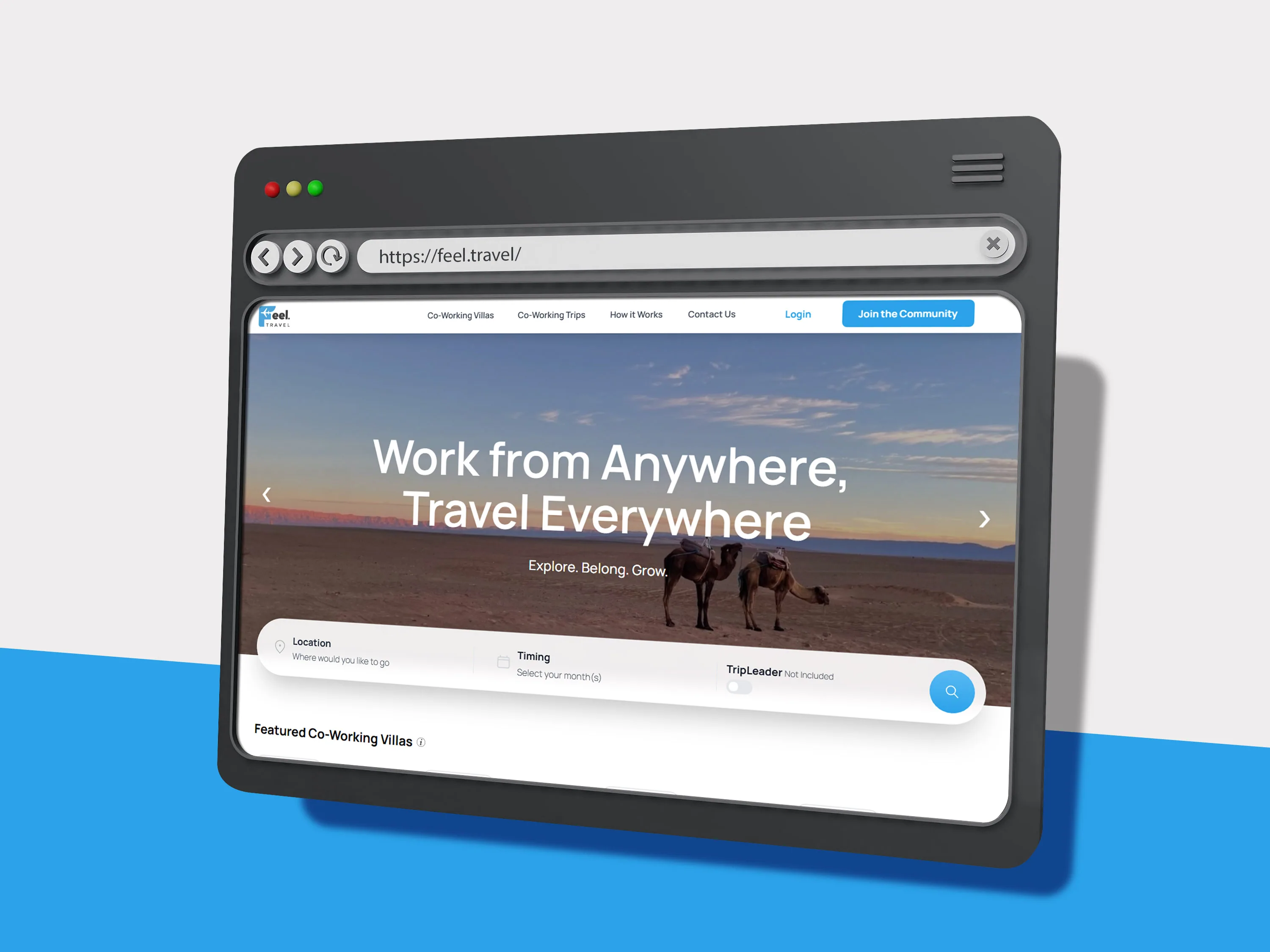
Project brief
From business need to delivered system
| Area | Project detail |
|---|---|
| Business need | A clear travel experience that could guide visitors from service discovery to action. |
| Product response | A full-stack build connecting responsive interfaces with backend and API-driven flows. |
| Delivery result | A more structured travel journey with a maintainable foundation for future services. |
Business need
A clear travel experience that could guide visitors from service discovery to action.
Product response
A full-stack build connecting responsive interfaces with backend and API-driven flows.
Delivery result
A more structured travel journey with a maintainable foundation for future services.
Stack used
The challenge
What Feel Travel needed the build to solve
Travel products often combine several services, destinations, routes, and action paths. The challenge was to keep the experience visually inviting while ensuring that the information and interactions behind the interface could support a more complete travel journey.
Project facts
| Project type | Full Build |
|---|---|
| Responsibility | UI/UX, frontend, backend, database, and ecommerce workflows |
| Coverage | Public storefront and private owner dashboard |
| Technology | Next.js, React, OpenAI API, Generative AI, RAG, Vector Search, Prompt Engineering, AI Workflow Automation, LangChain, Node.js, MongoDB |
The approach
How I handled the Feel Travel delivery
I mapped the experience around how a visitor discovers a travel service, understands the available option, checks supporting information, and decides what to do next.
The frontend was built around clear service sections, responsive content hierarchy, readable action points, and reusable components that could support different travel-related paths.
Backend logic and API integrations were connected to the relevant interface states so the product could handle changing data rather than relying only on hardcoded presentation.
The final delivery kept the public experience simple while giving the underlying system enough structure for future travel services, records, and operational updates.
System structure
The structure behind Feel Travel
The delivery connected the user-facing experience with the underlying implementation, keeping the project clear to use and practical to maintain as its needs expanded.
Travel discovery
Service presentation, route or destination context, and next-step actions.
Frontend application
Responsive components, content hierarchy, and user-facing interactions.
Backend + APIs
Connected logic, records, requests, and data-driven product behavior.
What was delivered
The practical output of the build
| Area | Project detail |
|---|---|
| Travel frontend | Responsive service pages, discovery flow, reusable sections, and clear next-step actions. |
| Backend layer | Application logic and data-connected workflows supporting the public experience. |
| API integration | Connected requests, records, and interface states across the product flow. |
| Product foundation | A maintainable full-stack base prepared for future travel content and services. |
Travel frontend
Responsive service pages, discovery flow, reusable sections, and clear next-step actions.
Backend layer
Application logic and data-connected workflows supporting the public experience.
API integration
Connected requests, records, and interface states across the product flow.
Product foundation
A maintainable full-stack base prepared for future travel content and services.
Delivery coverage
The shape of the work
Frontend
Complete
Backend
Connected
API
Integrated
Travel UX
Structured
Technical implementation
What had to work behind the interface
The frontend and backend were planned together so service presentation did not become disconnected from the information and operations behind it.
API integration points were handled as part of the user journey, with attention to the states users see while data is loading, returned, empty, or unavailable.
The full-stack structure kept the project open for additional travel services and operational flows without forcing a complete rewrite of the customer-facing experience.
Tools used
| Next.js | Full-stack application structure, routing, and responsive delivery. |
|---|---|
| React | Reusable travel, service, and data-connected interface components. |
| OpenAI API | AI-assisted travel discovery and connected experience flows. |
| Generative AI | AI-generated travel assistance and user-facing discovery support. |
| RAG | Context-aware responses grounded in relevant travel information. |
| Vector Search | Semantic retrieval for matching users with useful travel context. |
| Prompt Engineering | Structured prompts for reliable travel-focused AI behavior. |
| AI Workflow Automation | Automated AI-assisted steps across the travel experience. |
| LangChain | Orchestration layer for connected AI and retrieval workflows. |
| Node.js | Backend logic and connected application workflows. |
| MongoDB | Flexible data foundation for travel and operational records where required. |
Outcomes
What the Feel Travel delivery achieved
Feel Travel received a clearer path from travel discovery to a meaningful next action.
The frontend and backend worked as one product rather than as separate presentation and logic layers.
The connected foundation gave the project room to grow into additional travel services and data-driven flows.
Why this matters
Clearer travel discovery.
Connected full-stack delivery.
API-ready product flows.
Foundation for future services.
Reference note
This case study focuses on the frontend, backend, API integration, and product-structure work delivered for the travel experience. Private provider and deployment details are intentionally omitted.
Continue exploring
More ways to explore Feel Travel.
Compare related case studies, understand the services behind this delivery, or start a conversation about your own build.
Next Step